

We are pleased to announce the release of Cradle-8.0
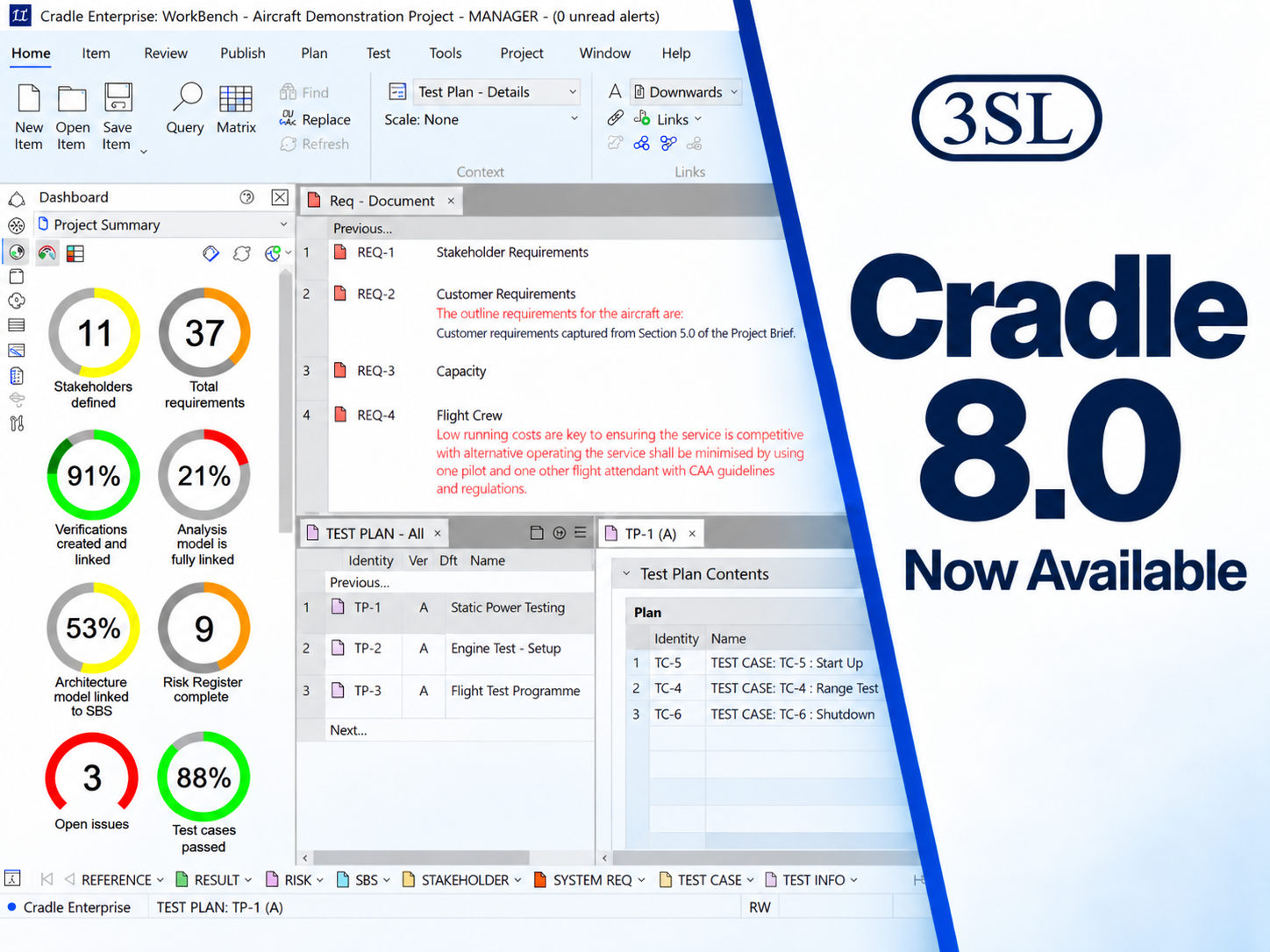
Cradle-8.0 is now available for download from the downloads section of the 3SL website. This is the latest version of Cradle.
3SL customers with active maintenance have been sent an e-mail notification, and details of which of their enhancement requests and bug reports are included in this new release. This is a significant Cradle release that increments the Cradle version number from 7.7 to 8.0 . This means that the Security Codes for Cradle-7.7 or earlier will not work with this new Cradle-8.0 release. Therefore, if you want to upgrade to the new Cradle-8.0 then you must contact 3SL Support and request a new Cradle-8.0 Security Code since your existing Cradle-7.7 or earlier Security Codes will not work with this new release.
Supported Platforms
Cradle-8.0 can be run in any mixture of Windows and Linux environments:
- Windows (all 64-bit):
- 10
- 11
- Server 2015
- Server 2019
- Server 2022
- Server 2025
- Linux:
- Kernel version 5.4.0 or later, e.g. Ubuntu 20.04 (or equivalent Linux distribution) with GLIBC 2.31 or later)
Please note as of Cradle-8.0 we no longer support 32-bit Linux installations.
Oracle libraries have been updated to support minimum version of 19c and the third party libraries have been updated on Windows.
We also support the following Microsoft Office versions:
- Office 2016
- Office 2019
- Office 2021
- Office 2024
- Office 365
Please note we do NOT support UWP versions of Office, such as Office 365 on demand from the Microsoft store.
New Cradle-8.0 Capabilities
This release contains a range of new capabilities and a collection of enhancements and bugs for the existing Cradle components.
New Features
- Updated UI for the Cradle installer
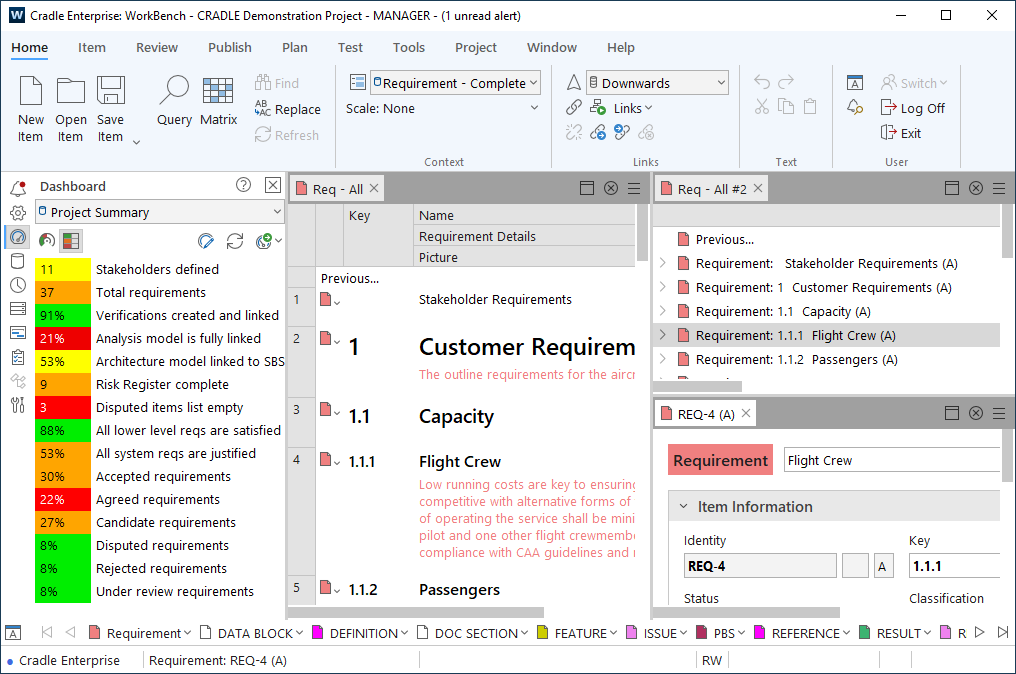
- New UI including new themes to choose from
- 2FA support
- Overhaul of definitions
- Numerous enhancements to Test Execution and Recording
- Alerts including a new Alerts sidebar and Alerts tab
There are also many new minor features. These are covered in the Release Notes but some examples are:
- Set expansion levels in queries when viewing hierarchies
- Choose multiple actions in phase hierarchy
- Styling of phases
- Background colours in forms and form styling
- Enhancements to Project Setup
- New options and symbols in some diagrams
- Automatically upload a user’s signature image when performing an approval action in Web Access
Updated UI for Cradle Installer
The Cradle installer has been updated to create a new look and feel. An example is shown below:
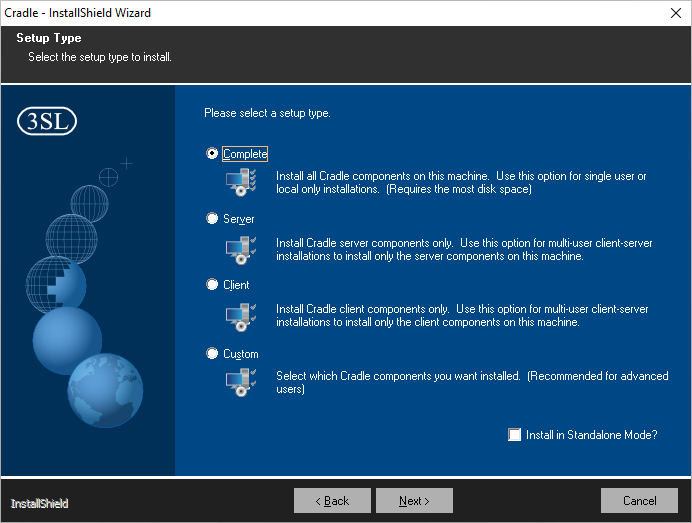
Note that the Cradle installer now allows a 32-bit Toolsuite installation to work with a 64-bit Cradle installation.
New UI and Themes
The Cradle-8 user interface has a new modern/updated look. An example of WorkBench is shown below:
You can also choose a theme for the WorkBench interface as one of:
- Dark
- Light (default)
- High Contrast Dark – similar to the Dark theme but with additional contrast in various ways
- High Contrast Light – similar to the Light theme but with additional contrast in various ways
An example of the Dark theme is shown below:
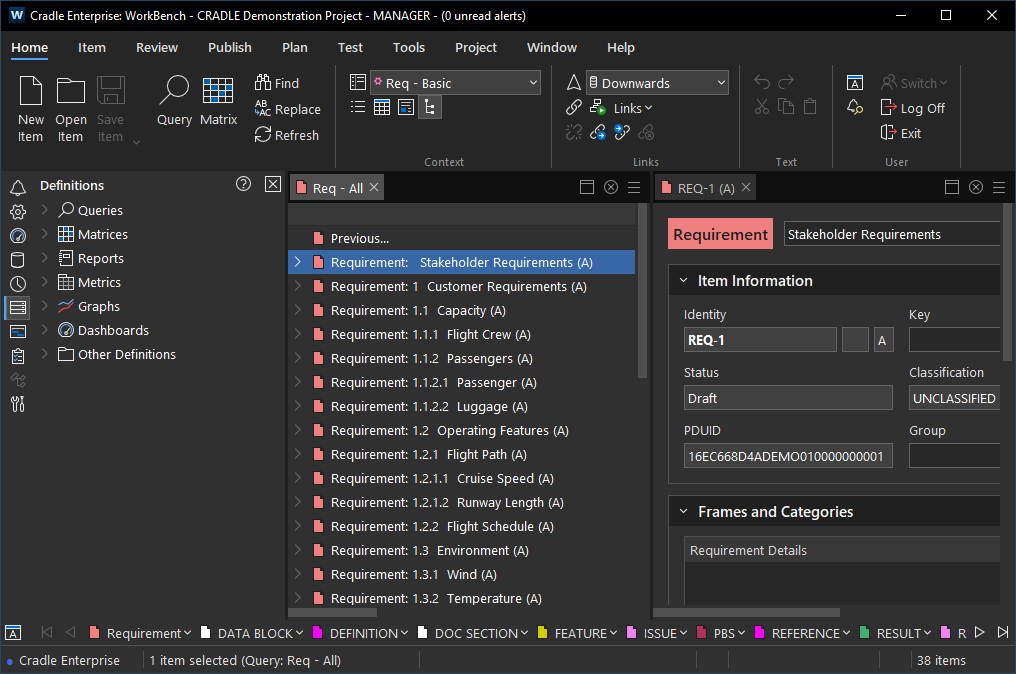
The theme is set in User Preferences. You also have the option to set the text and icon sizes.
Please note if any of these options are changed you will need to restart the tool for the change to take affect.
The Web Access interface has also been updated. An example of Web Access is shown below:
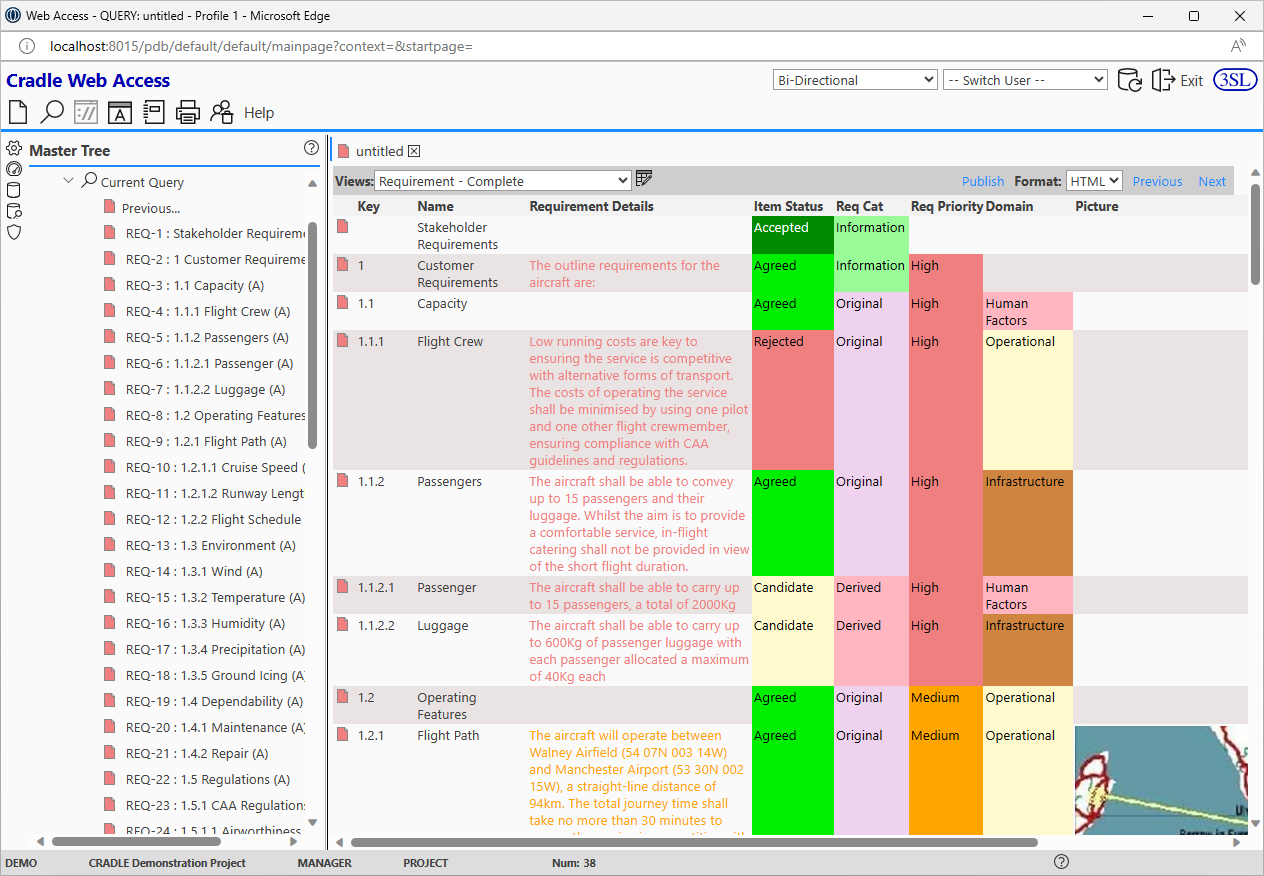
There are only two themes available for Web Access (Dark or Light). This is set in the cws_config file.
2FA Support
Two-factor authentication (2FA) is now supported in WorkBench, Web Access, Project Manager, Web Services Interface, the API and the Toolsuite applications.
This is setup in a new 2fa_config file.
There is also a new email template called web_auth.eml. This template is used to create an email that is sent to a Cradle user when Web Access is configured to use 2FA sent over SMTP.
Definitions
Definitions have had a major update in Cradle-8.0 including a new Definitions Chooser and updates to the Definitions Manager.
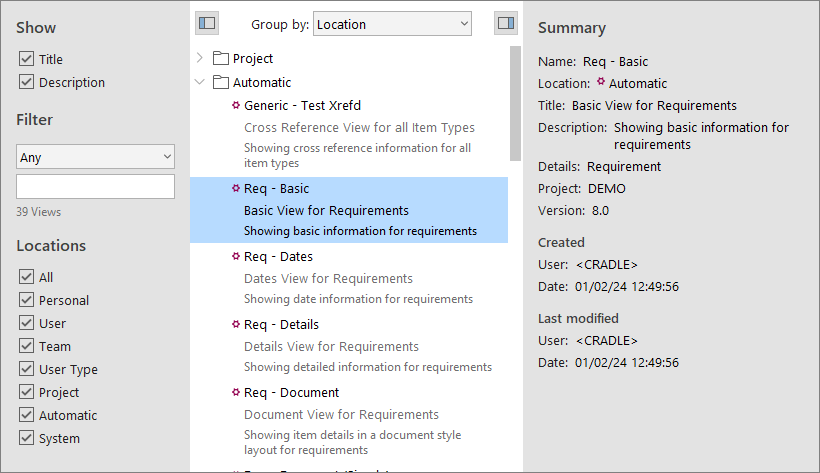
The Definitions Chooser provides the ability to select, sort and display extra information for Cradle definition files. You can choose how to group the definitions and you can set a filter. An example of the Definitions Chooser is shown below:
You can now display a Summary sidebar in the Definitions Manager which displays summary information for the selected definition:
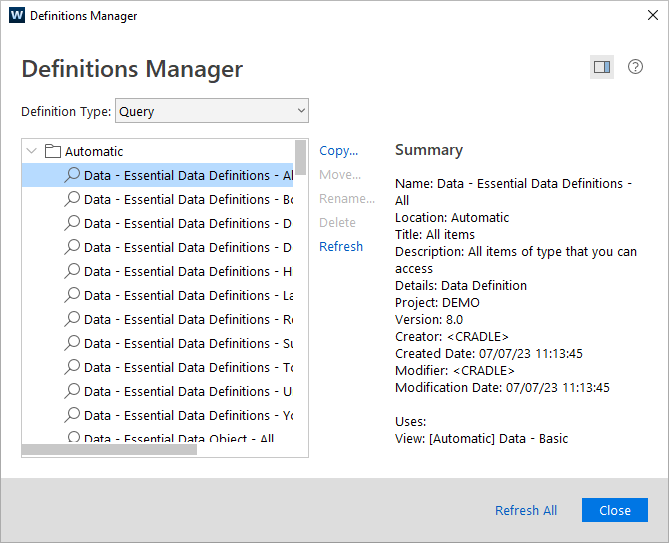
You can now rename definitions using the Definitions Manager and ReqIF import and export exchanges are also available.
Other updates include:
- Title and Description fields added to all definition dialogs
- Report of all definitions as well as what other definitions use them or what other definitions they are used by
- Change history for definitions
Test Execution and Recording
There have been many enhancements to the Test Execution and Recording implemented in the Cradle-8 release.
Please note that due to new categories and calculations relating to Test Execution and Recording, if you are upgrading from a version prior to Cradle-8 and testing was previously enabled, when you open Project Setup and select Testing you will see the following dialog:
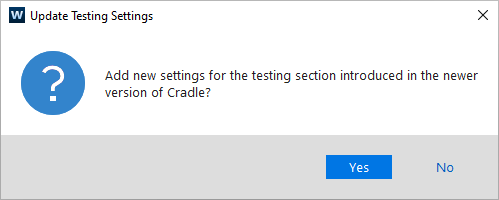
The enhancements to Test Execution and Recording include:
- Process of beginning the testing process is now much easier
- Easy creation of hierarchical test items
- Ability to view test items and publish test reports from the Test tab
- New categories including Test Article, Number Passed, Number Failed and Test Execution Date
- New link types/link rules
- New calculations including Total Test Cases and Total Test Results
- Ability to define a naming convention of Test Results
- Image support in Test Cases
- New alert is sent if a Test Case has been ran and is linked to an item
Alerts
There have been many enhancements to alerts in Cradle-8. These include:
- An Alerts sidebar which shows a summary of alerts displayed as dials
- An Alerts tab
- Easier to navigate between the Alerts section of Project Setup to the Alerts Setup dialog for a particular item type
- Deletion of alerts
An example of the Alerts sidebar with the Alerts tab open is shown below:
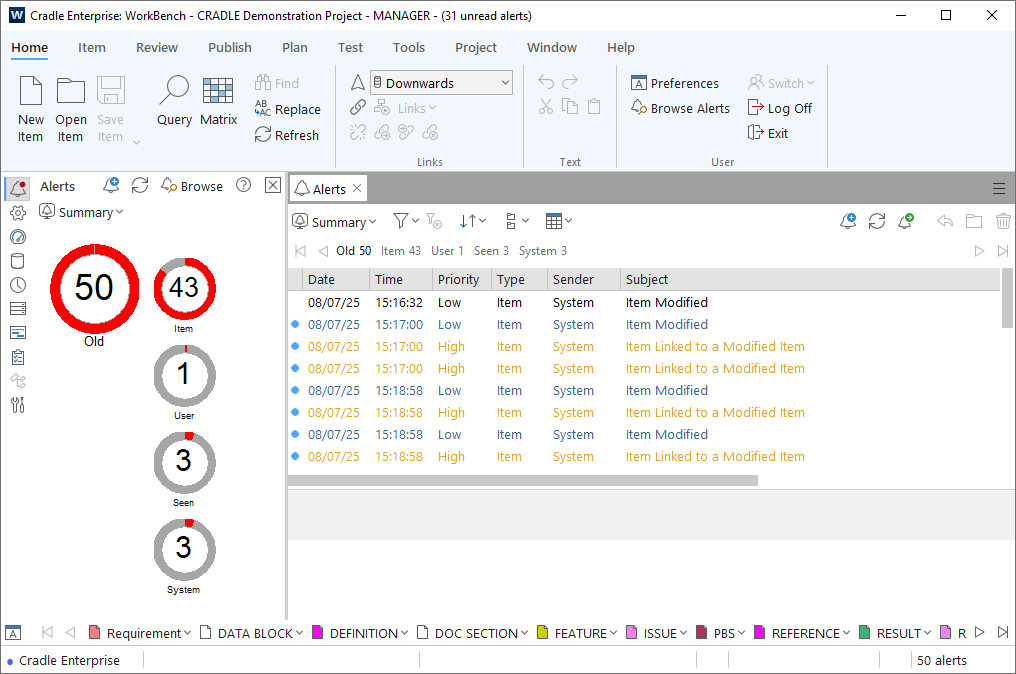
As you can see from the example above there is a red dot on the Alerts sidebar button. This indicates there are unread alerts.
From the Alerts sidebar you can:
- Select a view to display the alerts
- Create an alert
- Refresh the display of alerts
- Open the Alerts tab
From the Alerts tab you can:
- Select a view to display the alerts
- Set a filter (and clear any set filter)
- Sort alerts
- Sub-group the summary value options
- Create an alert
- Refresh the list of alerts
- Publish a report
- Open the item related to the alert
- Delete an alert
- Mark an alert as read/unread
Performance Enhancements
Cradle-8.0 also includes a small number of performance improvements:
- Speed of filling in multi-column lists
- Opening of Project Setup
Download
You must contact 3SL for new Security Code(s) for Cradle-8.0. Cradle-8.0 will not accept Security Codes from Cradle-7.7 or any previous release.
Cradle clients (WorkBench, Web Access, Document Publisher for instance) and server (CDS) versions cannot be mixed. Therefore, you must upgrade all Cradle installations to 8.0.
Cradle-8.0 databases do have the same format as Cradle-7.7 databases. Hence the Cradle-8.0 release doesn’t include a database converter for the transition from Cradle-7.7 to Cradle-8.0. Full details are available in the 8.0 Release Notes, and updated manuals in addition you can always contact support@threesl.com .
Single User Products
Please note that there are no maintenance services for single-user Cradle products. Therefore, if you have purchased any of the single-user Cradle-7.7 products:
- Cradle-RM Desktop
- Cradle-RM Pro
- Cradle-SE Desktop
- Cradle-SE Pro
then you will not be able to request a new Cradle-8.0 Security Code. If you want to update your single-user Cradle system to the new Cradle-8.0 release, then you must buy the new Cradle-8.0 release.
Help with Cradle-8.0
In conclusion, we’re both pleased and proud with the new capabilities in Cradle-8.0 and most importantly hope you will benefit by upgrading. If you are not already a customer and would like more information about Cradle, you can download the software and a free evaluation licence, find more on our website, or request a webinar.