World Water Day (22 March 2017). We should celebrate that we are part of the 90% of people that have access to clean safe drinking water.
Water for All
We would like to encourage our readers to help the 10% of the world’s population that face dirty or diseased water by supporting charities like WaterAid by having a collection and possibly turning #Blue4Water!
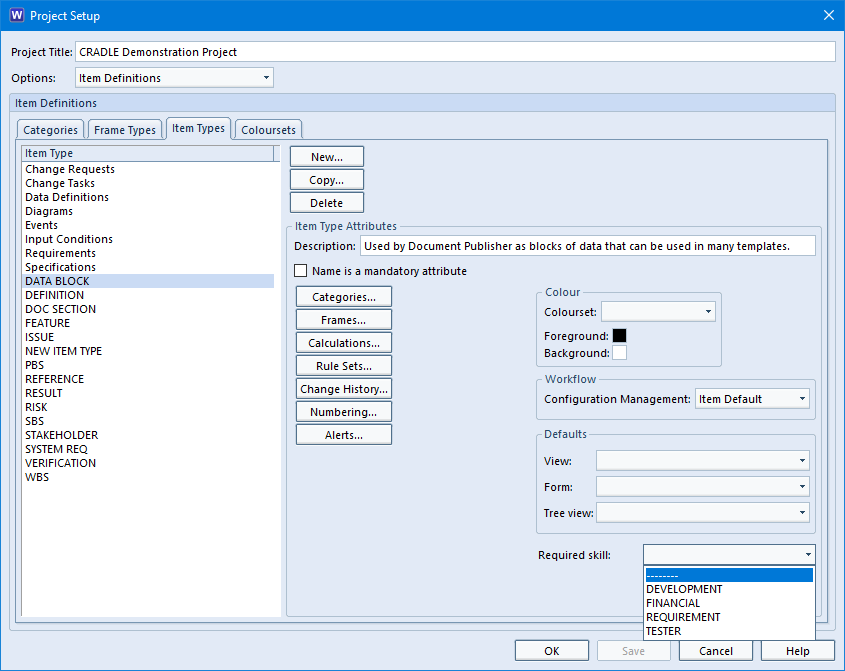
Imagine you have a project and teams of people working on it. You can control who sees what by placing staff in different teams (for information watch this video about collaborative teams). You can provide skills based access to individual frames within the item. However, there maybe one type of item which only certain team members can see, maybe a Finance item. The solution is to set a skill for the item type. Ensure those who are allowed to view the item type have the skill. For those assigned the required skill, all the other access controls still get applied, (CM status, security clearance and ownership). For those without the skill, the item type disappears from existence, it is as if the project schema had not defined the item.
Skills Based Item Access
Login to WorkBench as a user who can modify the schema
Start Project Setup from the Project tab, set Options to User Settings and select the Skills tab
Select New and define a new skill
Set Options to Item Definitions and select the Item Types tab
Select the item type to be controlled and choose the new skill from the Required skill: drop-down list
Save the schema and close Project Setup
From the Project tab, select User Setup and for each user who is to be able to see the item type, select that user, select Skills, add the new skill to the user’s user profile and save the profile
RO Skill Based Access Feature
New Cradle-7.2
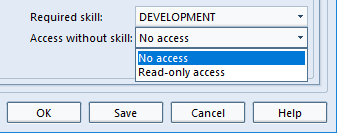
Now imagine the scenario that you want team members to see an item type but you don’t want them to be able to change any aspect of it. The latest version of Cradle allows you to set Read-only access for these item types.
Skill Based Access Levels for Items
Related Items
To restrict access to categories alone, this article will help.
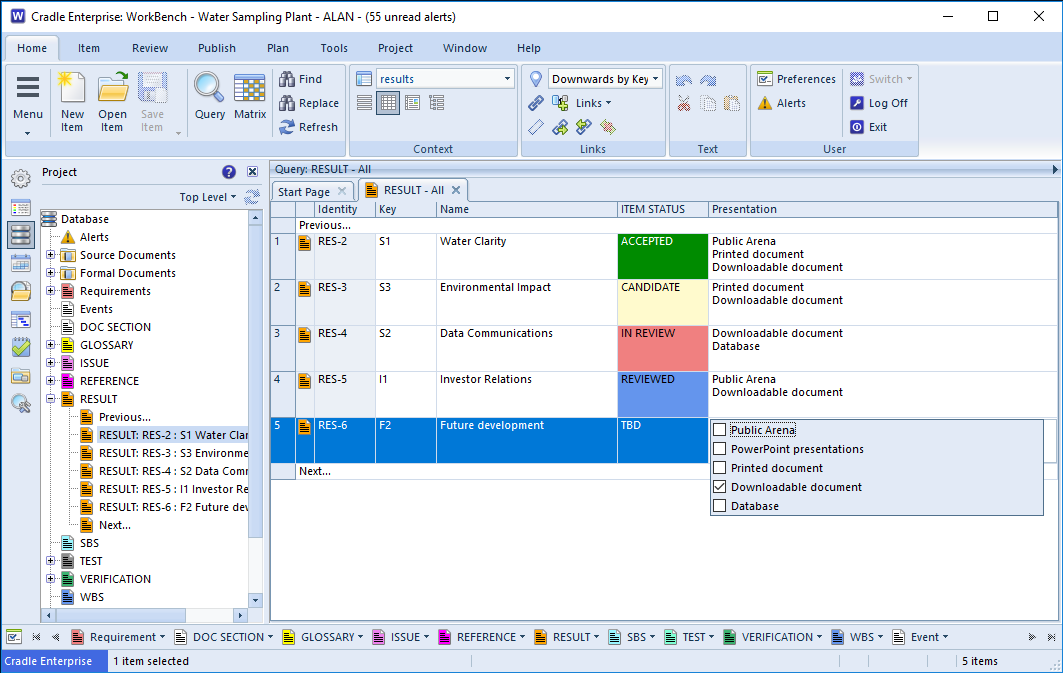
In the database each item can have a number of categories assigned to it. These are indexes by which you want to sort and retrieve your items. Some values are plainly single, an item’s Customer Approval can’t be Approved and Rejected at the same time. However, Colours could be Red and Blue on the same item. These are multiple value categories. They are used to classify an item when the attribute itself can have multiple non mutually exclusive values.
The values that can be held by the category are defined in the Project Schema. Each value is allocated to a ‘slot’ each item holds a set of flags indicating which slots (values) are ‘selected’ for that item.
When shown in a View or Form, the values for the slots are shown to the user.
Multiple Category Value Selection
New Cradle-7.2 Project Setup Feature
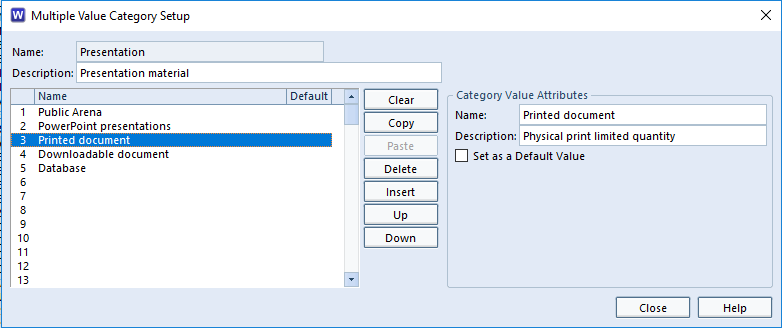
It’s now even easier to set up multiple value categories in Project Setup.
Multiple Value Category Setup
The new options are:
Clear – Clears the value from the list but leaves the slot blank
Copy – Copies the selected value
Paste – Pastes the copied value into the selected slot
Delete – Deletes the value and all values below this value are moved up
Insert – Inserts a slot so you can add a value, all values below this slot are moved down
Up – Exchanges the currently selected slot with the one above it
Down – Exchanges the currently selected slot with the one below it
There is consequence on existing items in the database for all of the operations above so a warning message will be shown when attempting one of these operations.
If slots 1, 2, 3 are Red, Blue and Green and item AA1 has flags set for 1, 2 it will be seen as Red and Blue. If a subsequent change is made to the schema (after items exist as drafts or baseline items), making slot 1, 2, 3 Red, Orange, Blue and Green, will result in item AA1 being defines as Red and Orange. This is because the flags tally with the slot. Users should query on existing data to see which items will be affected and subsequently update those they wish to change individually, or using “Item Properties”.
Summer’s on the way for those in the Northern Hemisphere. The Vernal (Spring) Equinox is marking the first day astronomical spring. Explained further on TimeandDate.com
Why not consider a spring clean, remove all those dusty files full of project requirements version 1 to version 9. Why? Will you really be able to find what you are looking for without a way of searching? Consider whether you can sensibly access the details of those designs sitting rolled up in mailing tubes. Do you have the means to edit them electronically any more. Does anyone know where the file is kept?
NOTE: If you live in the Southern Hemisphere you don’t have to wait until spring you could have an Autumn clean !
Sunrise
Cradle can help save your day!
With all the data for your project in one convenient tool, everything from the requirements through the project plan, the design and the test results conveniently linked together. Isn’t that much nicer than a set of files on shelves?
From under £250 (Current Requirements Management Desktop price March 2017) you could bring order where there was chaos. See the comparison chart for details of which tool suits best and the shop for current price details.
In an ideal world we would design the project schema first and then run our project from that point on. However, that’s not always how real life pans out, changes post ‘work starting’ can create questionable item integrity.
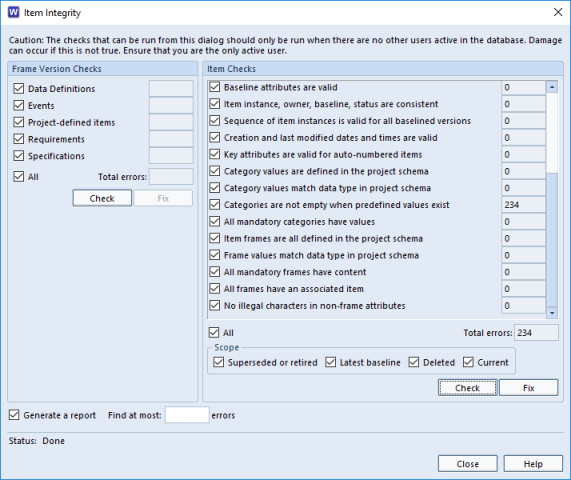
Cradle’s WorkBench Item Integrity checker allows an authorised user to check the status of items in the database. The thorough check ensures each item’s attributes are consistent with the schema and valid. It highlights areas that need the database administrator’s attention.
These issues may have been created in a number of normal operational ways.
Altering the schema after these items have been created and saved.
Importing items whilst overriding data validation. (In order to get items in to the database, so that they can be edited it is quite logical to want the old value to remain. The user then has a chance to view and edit and save with the new parameters).
Creating, say, a hierarchy of items and subsequently not editing them to fill in all required category fields or filling mandatory frames with content. (It would be most laborious to be forced to fill each one at the time of creation. It is better allowing a hierarchy to be created and then subsequently edited)
Item Integrity Checker
New Cradle-7.2 Item Integrity Fix Feature
A Fix button has been added to the Item Checks section of the Item Integrity Checker. This button only apply to certain checks. These checks are shown below with details of what happens when the Fix button is pressed:
Check
Fix Operation
Category values are defined in project schema
Clear the category values.
Category values match data type in project schema
If it has a default value, set it to this value, otherwise don’t do anything, i.e. this cannot be fixed using the Fix button.
Categories are not empty when predefined values exist
If it has a default value, set it to this value, otherwise don’t do anything, i.e. this cannot be fixed using the Fix button.
All mandatory categories have values
If it has a default value, set it to this value, otherwise don’t do anything, i.e. this cannot be fixed using the Fix button.
Wishing all our customers, suppliers and followers a Happy St. Patrick’s day 2017 from 3SL.
State Chart Diagrams (SCD)
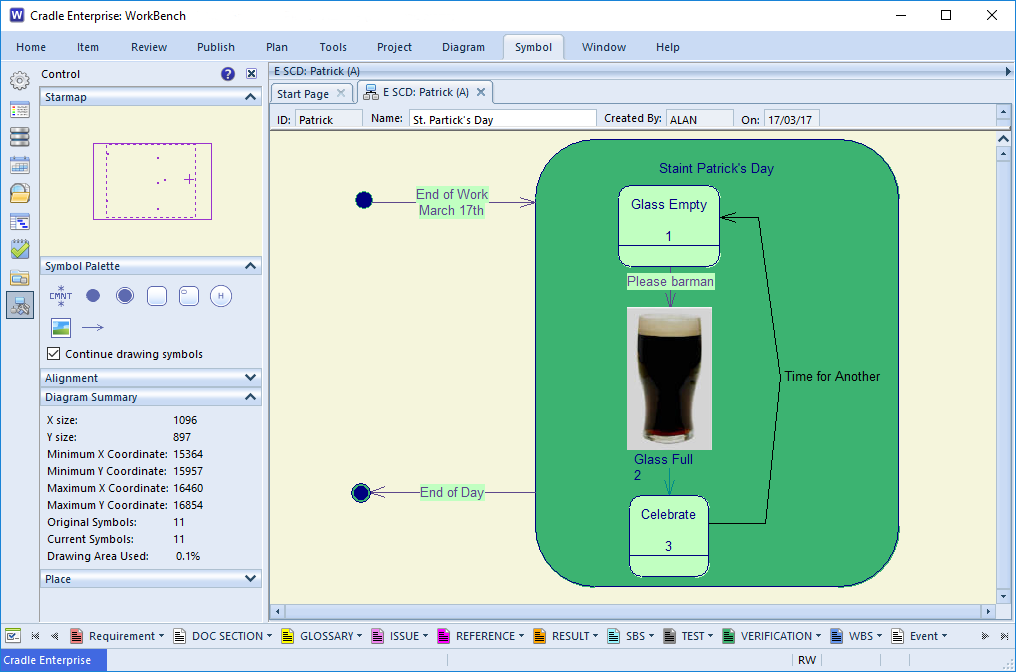
Whatever process you are modelling, if there are stages or states that form the process you can represent these in a SCD.
Classes, in this case “a day” that have a distinct lifecycle. They exhibit a different external behaviour in different circumstances “Special day for celebration” may be augmented by a Statechart Diagram (SCD). An SCD is a finite-state-machine that describes how the class responds to external stimuli (the triggers here are the end of work on the 17th). The stimuli are the receipt of messages by instances of the class, in the form of calls of the class’s operations. Internally dynamic behaviour is described in terms of a set of states, (The status of the glass) the transitions between these states (Time for Another?)
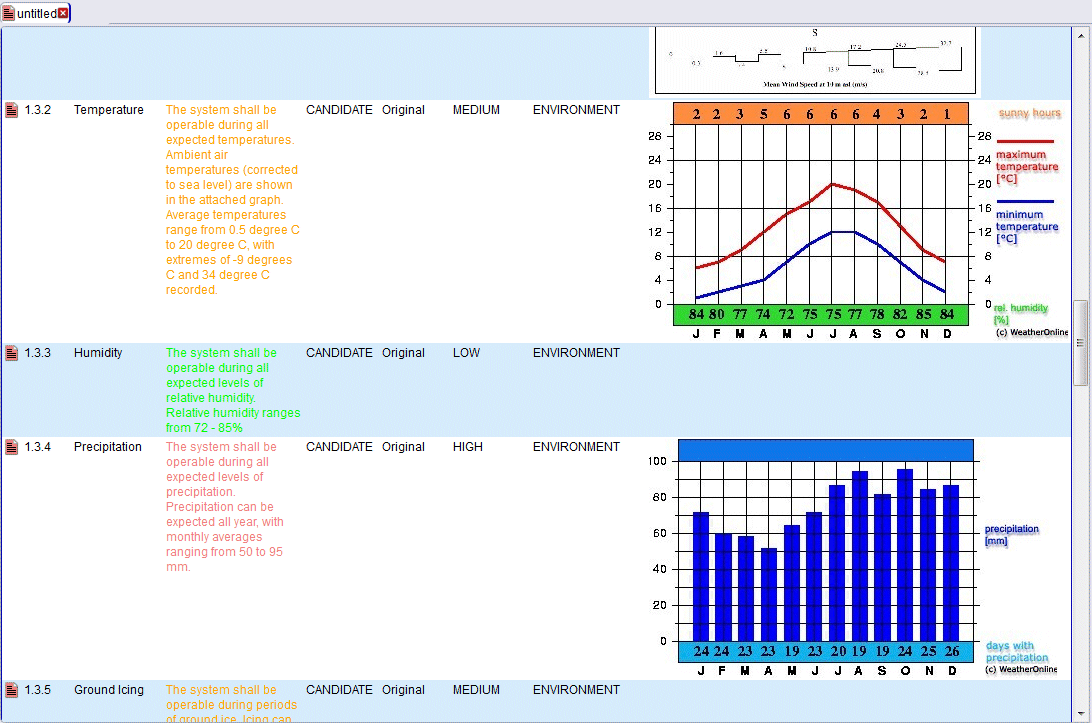
In the latest version of Cradle’s Web Access it is possible to show images in a View. In previous versions of Cradle it was only possible to show an item’s images in a Form.
This small but significant enhancement moves the remote Web Access client’s capabilities nearer the WorkBench rich desktop client’s functionality. Therefore, wherever you are located you can get detailed access to your data.
If too much information is showing in the history cell of a View, it can now be filtered by the number of entries and/or by a date. This makes it easier to see what’s changed in, say, the last week.
In the “View Details” dialog select the “Item History” cell. Then in the Cell Properties select whether to limit the “Maximum number of changes”, entering a maximum number to show. Then select “Changes within date range” in order to enter relative or absolute date values for the history filter.
OK so it’s a homophone, caused by a typo. But misunderstood requirements can have a big impact.
Pi Day itself can throw up the question which part of the world do you live in? Today 14/03/2017 specifying in increasing component granularity dd/mm/yyyy is nothing like π. In reverse as UTC 2017-03-14T12:46:14Z again does not have any π significance. However, living elsewhere in the world, as long as it still used the Julian calendar, dates are written differently, if you swap the components to mm/dd/yyyy 3/14/2017 does have a meaning, although we have to skip back in time to 1592 to really tell the joke!
Writing unambiguous requirements is about being clear in your language, precise in your detail and knowing your audience. Otherwise you may end up with Pi on your face…..
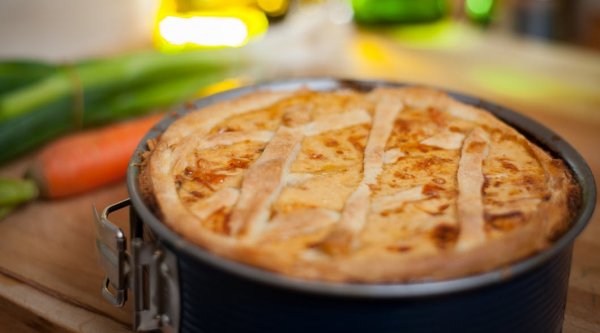
A Tasty Meat and Vegetable Pie
According to piday.org Pi Day is celebrated on March 14th (3/14) around the world. Pi (Greek letter “π”) is the symbol used in mathematics to represent a constant — the ratio of the circumference of a circle to its diameter — which is approximately 3.14159.